Palm OS Interface
Palm OSインターフェース / 1996–2009 / Stil / Bildschirmsprachen
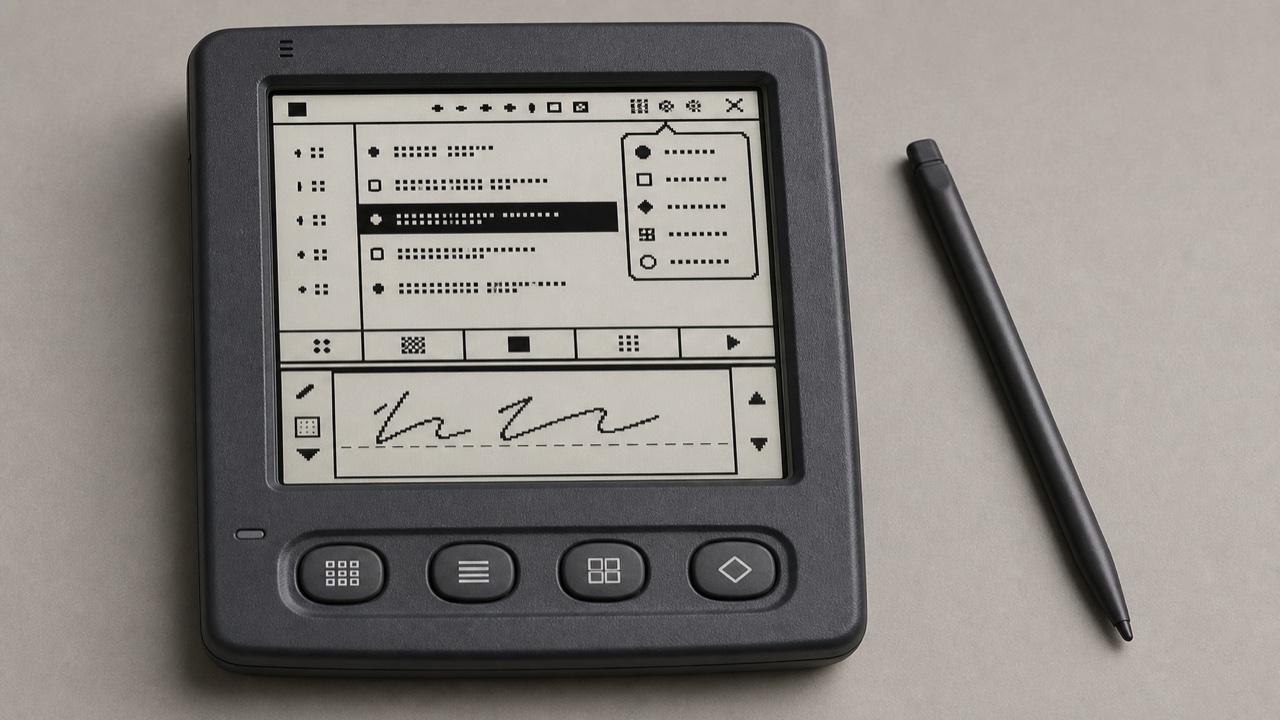
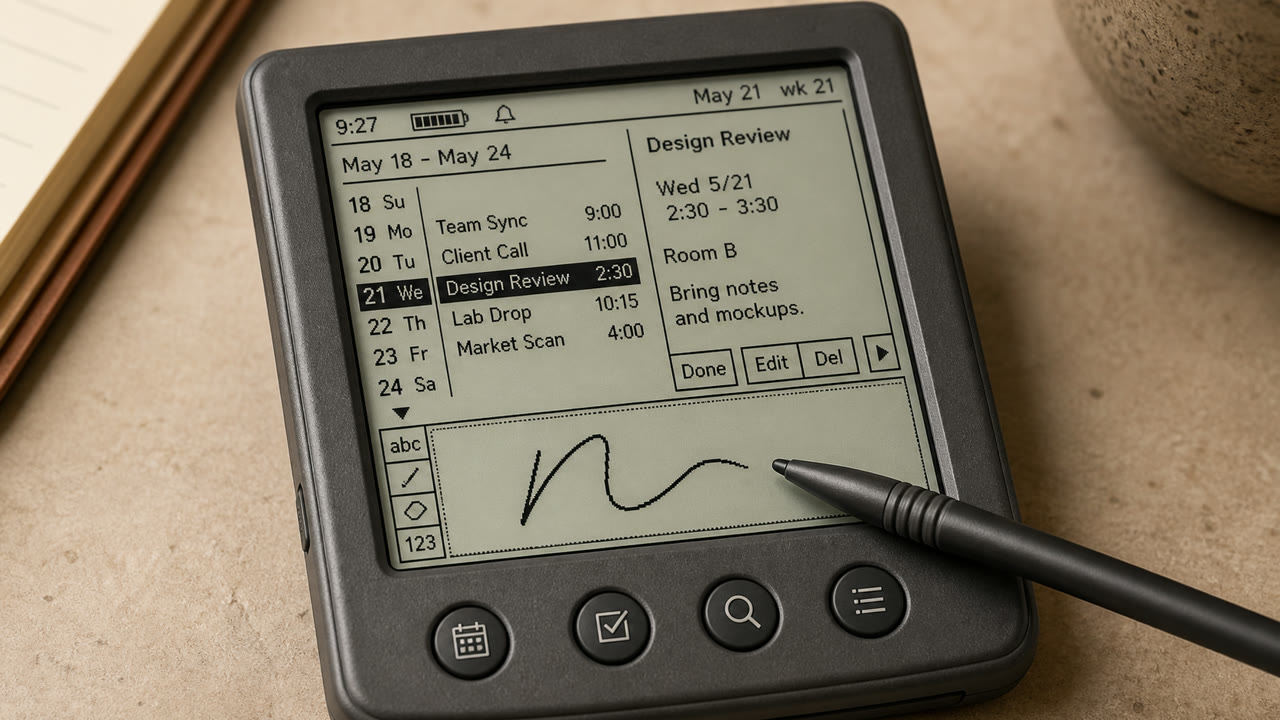
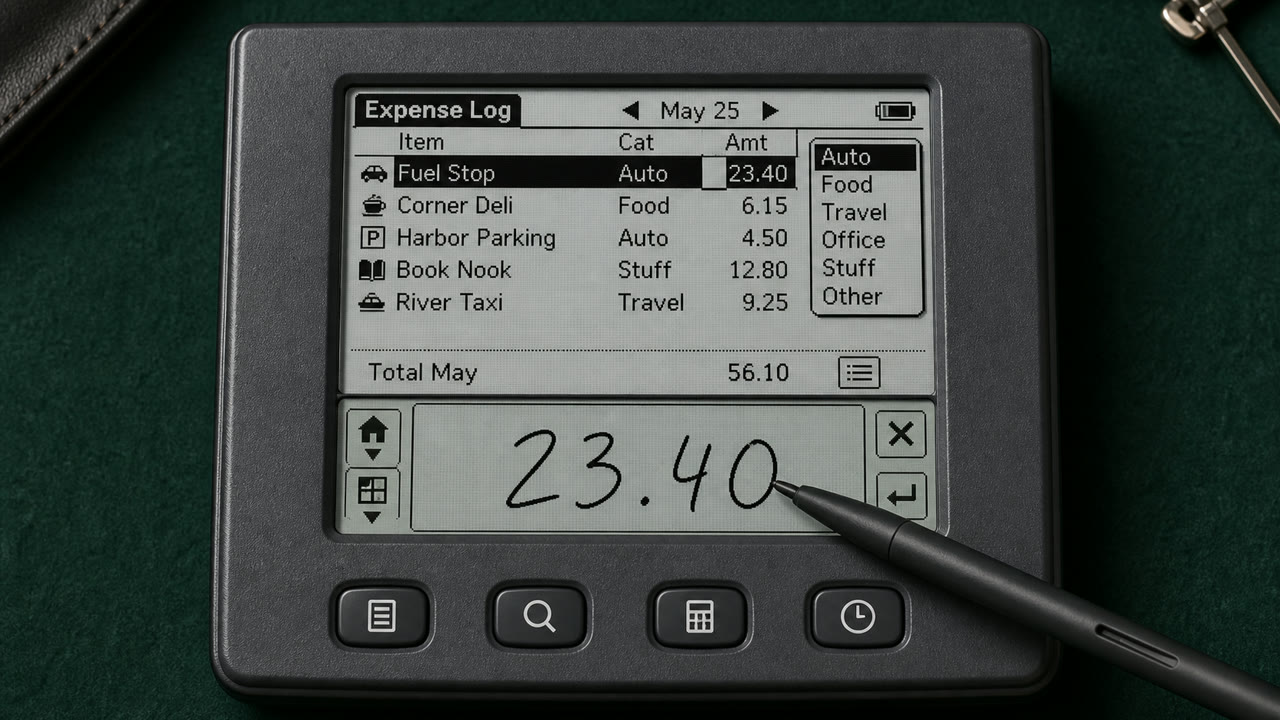
Palm OS verwandelte einen kleinen, monochromen Bildschirm, Stift und strenge Speicherbegrenzungen in ein konsistentes Taschenwerkzeug durch Menüs für Titel und Kategorien, Befehlsleiste, Hardware-Tasten und eine Schreibfläche für Graffiti.
Auf einen Blick
Visuelle Merkmale
- Ein Bildschirm mit etwa 160 x 160 Pixeln und monochromer Darstellung
- Titel links oben und Kategorie-Popup rechts oben
- Eine Befehlsleiste, die sich von der unteren Kante aus erstreckt und vier Anwendungsbuttons
- Dünne, einbitige Symbole, Regeln und eine Schreibfläche für Graffiti
Geeignet für
- Handling calendar, contacts and notes quickly with an extremely small display and few inputs
- Reconstructing an early PDA from its stylus-centered sequence, not only its pixel surface
Diesen Stil verwenden
Nutze das Kurzbriefing im Projekt oder übergib die strukturierte Spezifikation an ein KI-Werkzeug.
Ausführliche Anleitung und QuellenProduktionsregeln, Referenzwerke, Vergleiche, Forschung und Zitate
Wörterbucheintrag
- Typografie
- Use a sturdy bitmap face that separates letters at small sizes and reduce labels to one word.
- Komposition
- Fix Title and Category above, the list in the middle, and commands and input below to reduce screen changes.
- Material
- Work in one-bit black and white, using thin rules, reversed selection and roughly 16-pixel icons for state.
- Zu vermeiden
- Monochrome pixel UI alone is not Palm OS. Preserve the division of work among stylus, hardware keys, Graffiti and on-screen commands.
- Zum Weiterlesen
- Palm OS User Interface Guidelines / Graffiti input area / Title, Category and Command Bar
Verwandte Einträge
- Apple Desktop Interface (アップル・デスクトップ・インターフェース)Gemeinsame Wirkungen: Trust / Technique / Nostalgia.Palm OS Interface und Apple Desktop Interface vergleichen
- Holo (ホロ)Gemeinsame Wirkungen: Technique.Palm OS Interface und Holo vergleichen
Mehr aus Bildschirmsprachen
Weitere Stile aus Bildschirmsprachen, nach gemeinsamen Wirkungen geordnet.
- CDE Interface (CDEインターフェース)Gemeinsame Wirkungen: Technique / Trust / Nostalgia.
- OS/2 Workplace Shell (OS/2 Workplace Shell)Gemeinsame Wirkungen: Technique / Trust / Nostalgia.
- Motif (モチーフ)Gemeinsame Wirkungen: Technique / Trust.
Alle Einträge aus Bildschirmsprachen ansehen
Diesen Eintrag zitieren
Das Wörterbuch ist zum Verlinken gedacht. Nehmen Sie die Form, die dorthin passt, wo Sie schreiben.
- Link
- https://indexstyle.org/de/styles/palm-os
- Markdown
- [Palm OS Interface — IndexStyle](https://indexstyle.org/de/styles/palm-os)
- HTML
- <a href="https://indexstyle.org/de/styles/palm-os">Palm OS Interface — IndexStyle</a>