Palm OS Interface
Palm OSインターフェース / 1996–2009 / Estilo / Lenguajes de pantalla
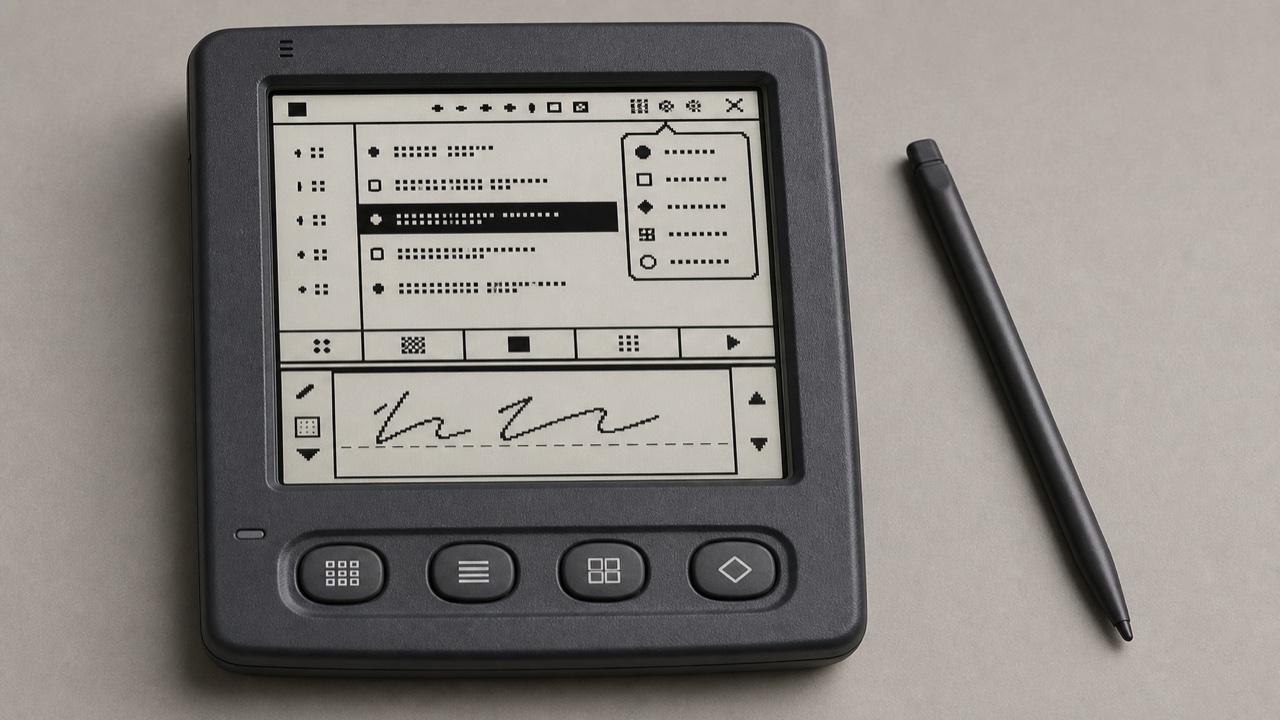
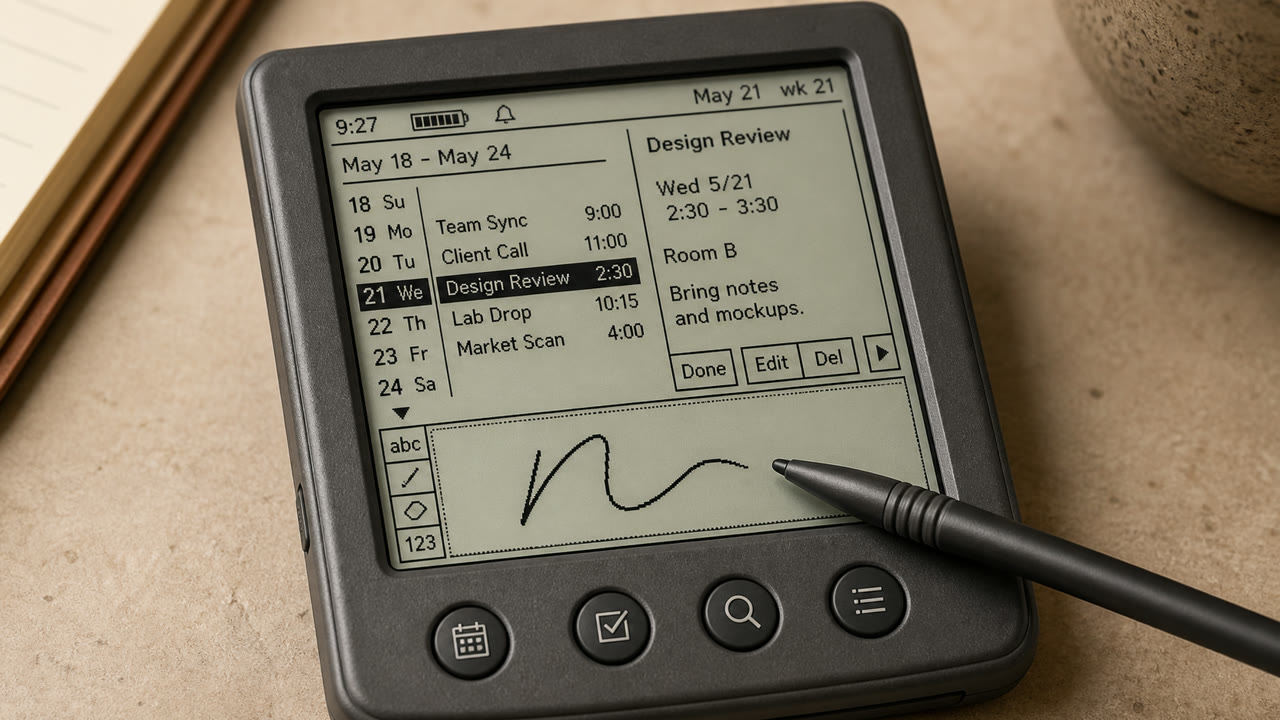
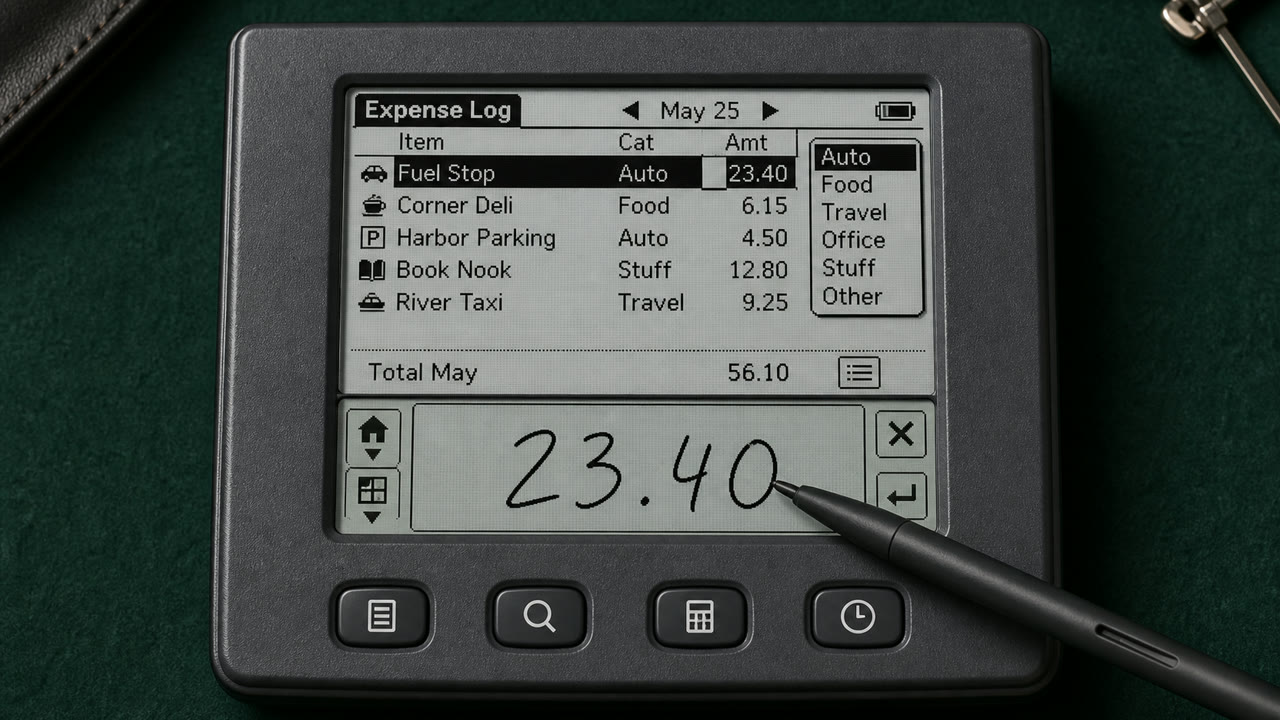
Palm OS convirtió una diminuta pantalla monocroma, un lápiz y límites estrictos de memoria en una herramienta de bolsillo coherente mediante el título, el menú Category, la Command Bar, botones físicos y el área de escritura Graffiti.
De un vistazo
Rasgos visuales
- Pantalla monocroma de baja resolución, aproximadamente 160 por 160
- Título arriba a la izquierda y selector Category arriba a la derecha
- Command Bar que asciende desde el borde inferior y cuatro botones de aplicación
- Iconos y reglas finos de un bit y área de entrada Graffiti
Usos idóneos
- Handling calendar, contacts and notes quickly with an extremely small display and few inputs
- Reconstructing an early PDA from its stylus-centered sequence, not only its pixel surface
Usar este estilo
Lleva el resumen al proyecto o entrega la especificación estructurada a una herramienta de IA.
Guía detallada y fuentesReglas de producción, obras de referencia, comparaciones, investigación y citas
Entrada del diccionario
- Tipografía
- Use a sturdy bitmap face that separates letters at small sizes and reduce labels to one word.
- Composición
- Fix Title and Category above, the list in the middle, and commands and input below to reduce screen changes.
- Material
- Work in one-bit black and white, using thin rules, reversed selection and roughly 16-pixel icons for state.
- Precaución
- Monochrome pixel UI alone is not Palm OS. Preserve the division of work among stylus, hardware keys, Graffiti and on-screen commands.
- Para profundizar
- Palm OS User Interface Guidelines / Graffiti input area / Title, Category and Command Bar
Entradas relacionadas
- Apple Desktop Interface (アップル・デスクトップ・インターフェース)Efectos compartidos: Trust / Technique / Nostalgia.Comparar Palm OS Interface y Apple Desktop Interface
- Holo (ホロ)Efectos compartidos: Technique.Comparar Palm OS Interface y Holo
Más de Lenguajes de pantalla
Continúa con estilos de Lenguajes de pantalla, priorizados por sus efectos compartidos.
- CDE Interface (CDEインターフェース)Efectos compartidos: Technique / Trust / Nostalgia.
- OS/2 Workplace Shell (OS/2 Workplace Shell)Efectos compartidos: Technique / Trust / Nostalgia.
- Motif (モチーフ)Efectos compartidos: Technique / Trust.
Ver todas las entradas de Lenguajes de pantalla
Citar esta entrada
El diccionario existe para que se enlace. Toma la forma que encaje donde estés escribiendo.
- Link
- https://indexstyle.org/es/styles/palm-os
- Markdown
- [Palm OS Interface — IndexStyle](https://indexstyle.org/es/styles/palm-os)
- HTML
- <a href="https://indexstyle.org/es/styles/palm-os">Palm OS Interface — IndexStyle</a>