Palm OS Interface
Palm OSインターフェース / 1996–2009 / Style / Platform Screen Languages
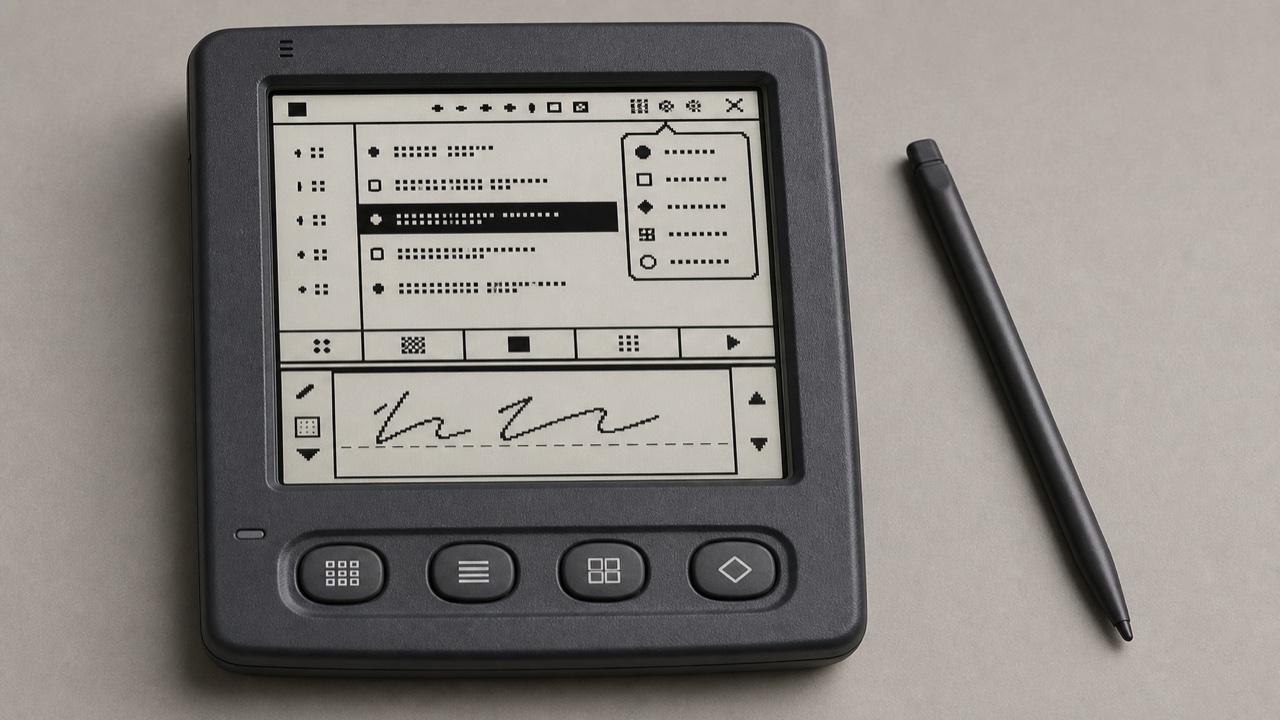
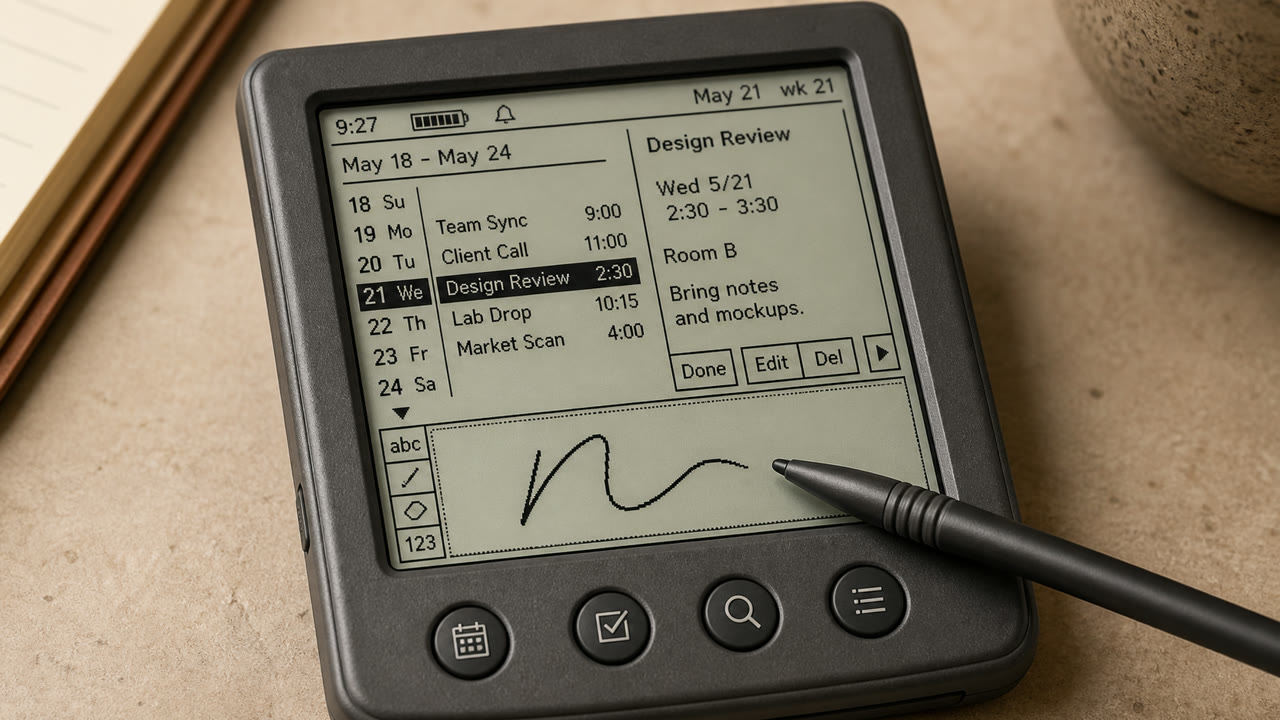
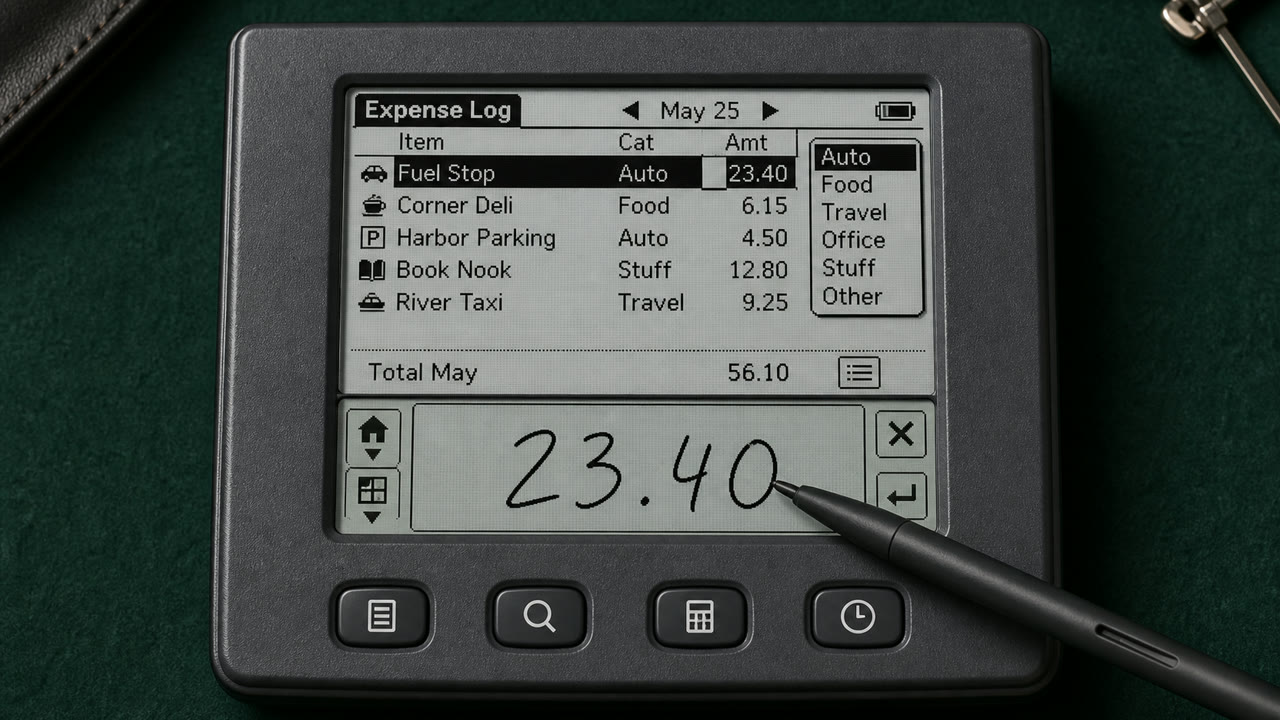
Palm OS turned a tiny monochrome screen, stylus and strict memory limits into a consistent pocket work tool through the Title, Category menu, Command Bar, hardware buttons and Graffiti writing area.
At a glance
Visual cues
- A roughly 160 by 160 low-resolution monochrome screen
- Title at upper left and Category pop-up at upper right
- A Command Bar rising from the lower edge and four application buttons
- Thin one-bit icons, rules and the Graffiti input area
Best used for
- Handling calendar, contacts and notes quickly with an extremely small display and few inputs
- Reconstructing an early PDA from its stylus-centered sequence, not only its pixel surface
Use this style
Take the compact brief into a project or hand the structured version to an AI tool.
Detailed guidance and sourcesProduction rules, reference works, comparisons, research and citation formats
Dictionary entry
- Type
- Use a sturdy bitmap face that separates letters at small sizes and reduce labels to one word.
- Composition
- Fix Title and Category above, the list in the middle, and commands and input below to reduce screen changes.
- Material
- Work in one-bit black and white, using thin rules, reversed selection and roughly 16-pixel icons for state.
- Caution
- Monochrome pixel UI alone is not Palm OS. Preserve the division of work among stylus, hardware keys, Graffiti and on-screen commands.
- Further study
- Palm OS User Interface Guidelines / Graffiti input area / Title, Category and Command Bar
Related entries
- Apple Desktop Interface (アップル・デスクトップ・インターフェース)Shared effects: Trust / Technique / Nostalgia.Compare Palm OS Interface and Apple Desktop Interface
- Holo (ホロ)Shared effects: Technique.Compare Palm OS Interface and Holo
More from Platform Screen Languages
Continue through styles in the same Platform Screen Languages family, prioritised by shared effects.
- CDE Interface (CDEインターフェース)Shared effects: Technique / Trust / Nostalgia.
- OS/2 Workplace Shell (OS/2 Workplace Shell)Shared effects: Technique / Trust / Nostalgia.
- Motif (モチーフ)Shared effects: Technique / Trust.
Browse all Platform Screen Languages entries
Cite this entry
The dictionary is meant to be linked to. Take whichever form fits where you are writing.
- Link
- https://indexstyle.org/styles/palm-os
- Markdown
- [Palm OS Interface — IndexStyle](https://indexstyle.org/styles/palm-os)
- HTML
- <a href="https://indexstyle.org/styles/palm-os">Palm OS Interface — IndexStyle</a>