Palm OS Interface
Palm OSインターフェース / 1996–2009 / Style / Langages d'écran
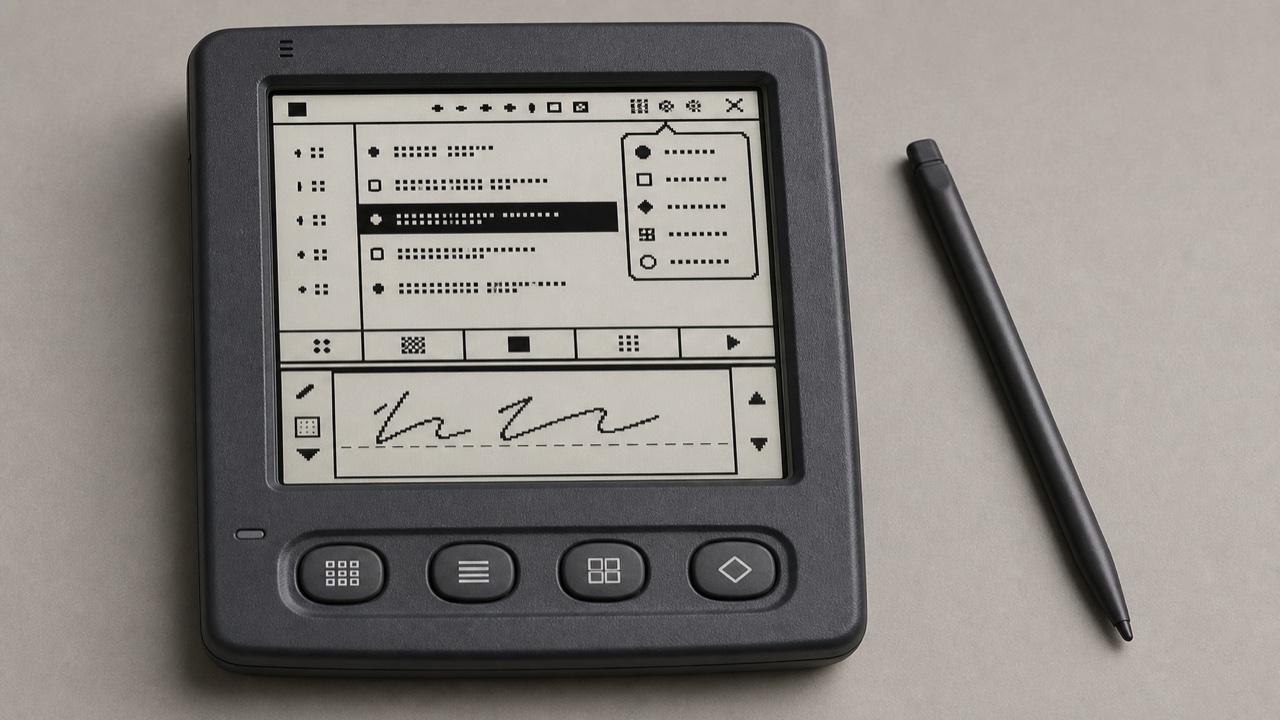
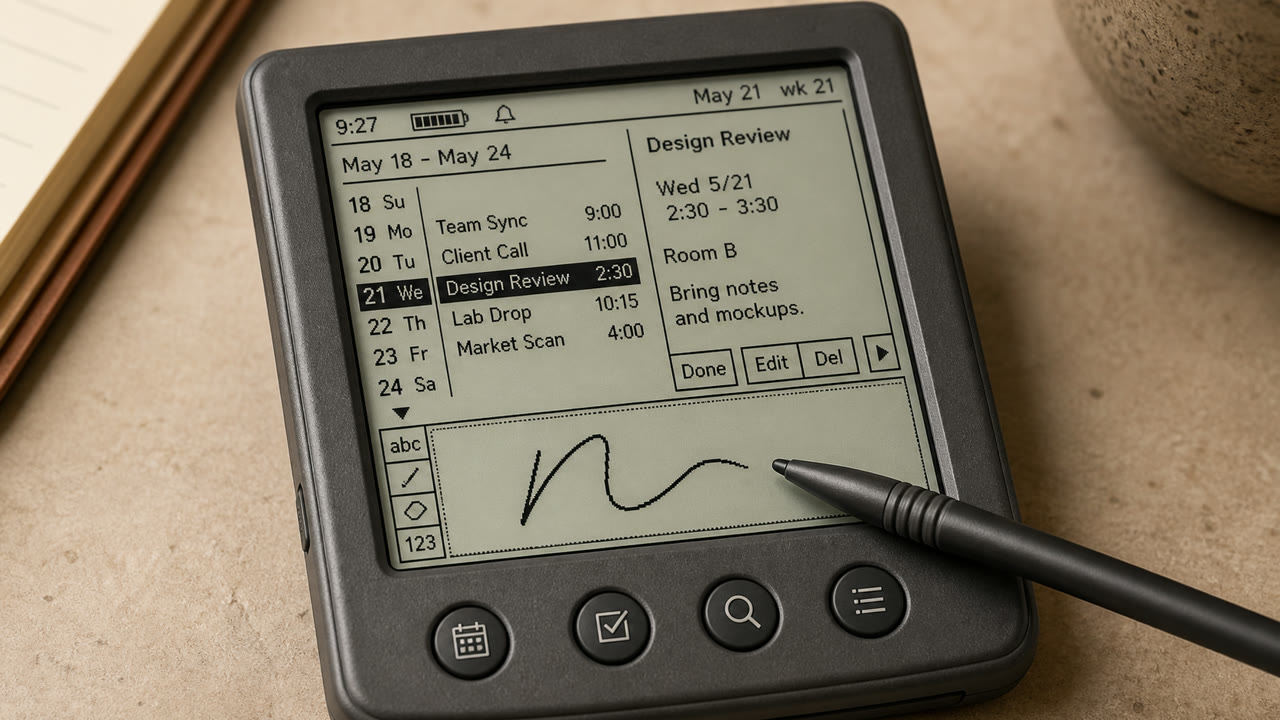
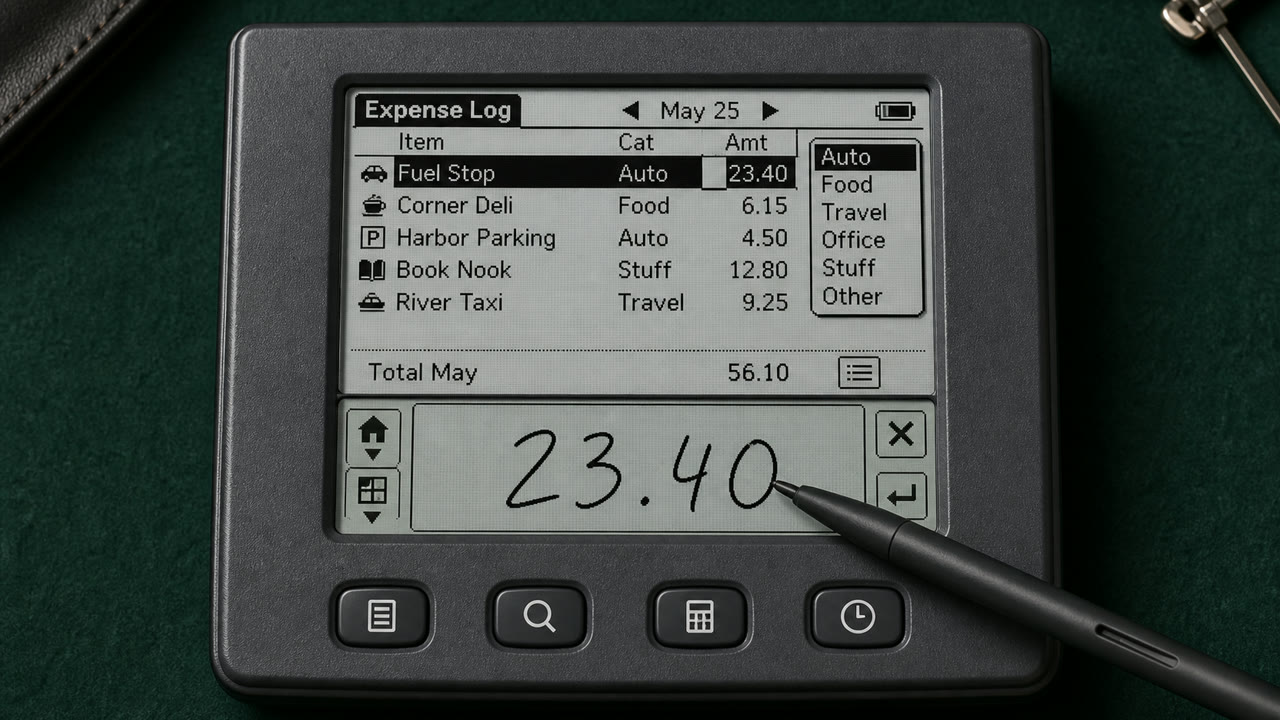
Palm OS a transformé un petit écran monochrome, un stylet et des limites de mémoire strictes en un outil de travail de poche cohérent grâce au titre, au menu Catégorie, à la barre de commande, aux boutons matériels et à la zone d'écriture Graffiti.
En un coup d’œil
Signes visuels
- Un écran monochrome à basse résolution d'environ 160 x 160
- Titre dans le coin supérieur gauche et catégorie pop-up dans le coin supérieur droit
- Une barre de commande s'étendant du bord inférieur et quatre boutons d'application
- Icônes, règles et zone d'entrée Graffiti à un bit
Usages idéaux
- Handling calendar, contacts and notes quickly with an extremely small display and few inputs
- Reconstructing an early PDA from its stylus-centered sequence, not only its pixel surface
Utiliser ce style
Appliquez le brief concis au projet ou transmettez la spécification structurée à un outil d’IA.
Guide détaillé et sourcesRègles de production, œuvres de référence, comparaisons, recherche et citations
Entrée du dictionnaire
- Typographie
- Use a sturdy bitmap face that separates letters at small sizes and reduce labels to one word.
- Composition
- Fix Title and Category above, the list in the middle, and commands and input below to reduce screen changes.
- Matière
- Work in one-bit black and white, using thin rules, reversed selection and roughly 16-pixel icons for state.
- Précaution
- Monochrome pixel UI alone is not Palm OS. Preserve the division of work among stylus, hardware keys, Graffiti and on-screen commands.
- Pour approfondir
- Palm OS User Interface Guidelines / Graffiti input area / Title, Category and Command Bar
Entrées liées
- Apple Desktop Interface (アップル・デスクトップ・インターフェース)Effets partagés : Trust / Technique / Nostalgia.Comparer Palm OS Interface et Apple Desktop Interface
- Holo (ホロ)Effets partagés : Technique.Comparer Palm OS Interface et Holo
Plus de Langages d'écran
Poursuivez avec des styles de Langages d'écran, classés par effets communs.
- CDE Interface (CDEインターフェース)Effets partagés : Technique / Trust / Nostalgia.
- OS/2 Workplace Shell (OS/2 Workplace Shell)Effets partagés : Technique / Trust / Nostalgia.
- Motif (モチーフ)Effets partagés : Technique / Trust.
Voir toutes les entrées Langages d'écran
Citer cette entrée
Le dictionnaire est fait pour être lié. Prenez la forme qui convient là où vous écrivez.
- Link
- https://indexstyle.org/fr/styles/palm-os
- Markdown
- [Palm OS Interface — IndexStyle](https://indexstyle.org/fr/styles/palm-os)
- HTML
- <a href="https://indexstyle.org/fr/styles/palm-os">Palm OS Interface — IndexStyle</a>