Firefox Photon
Firefox Photon / 2017–2021 / legacy / Style / Platform Screen Languages
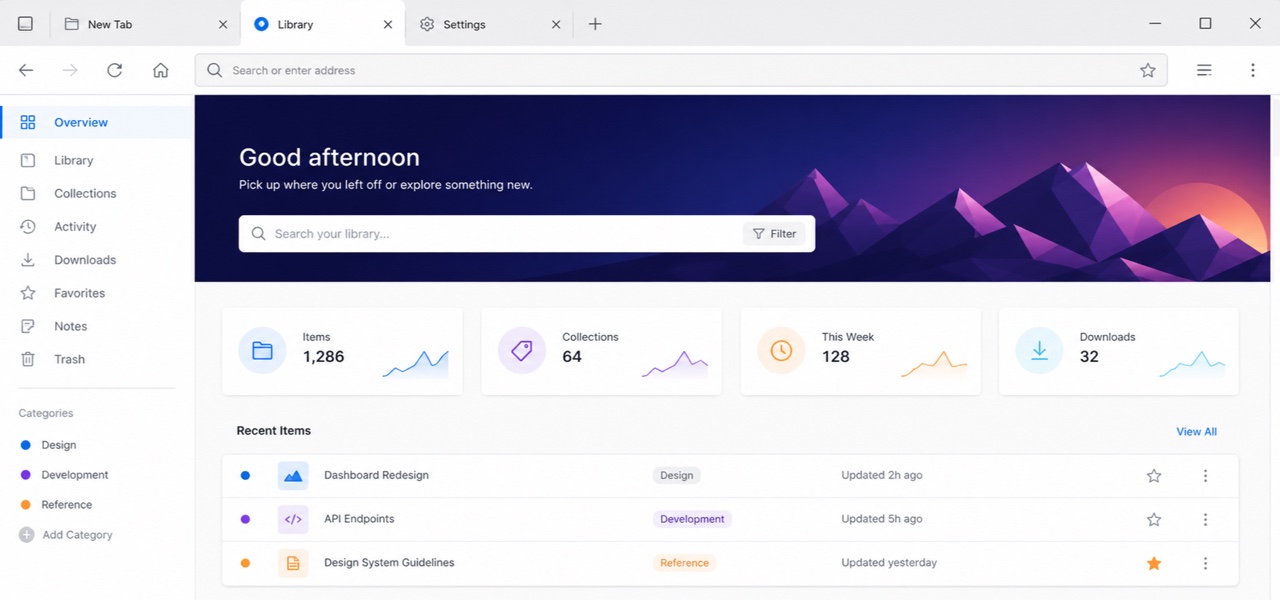
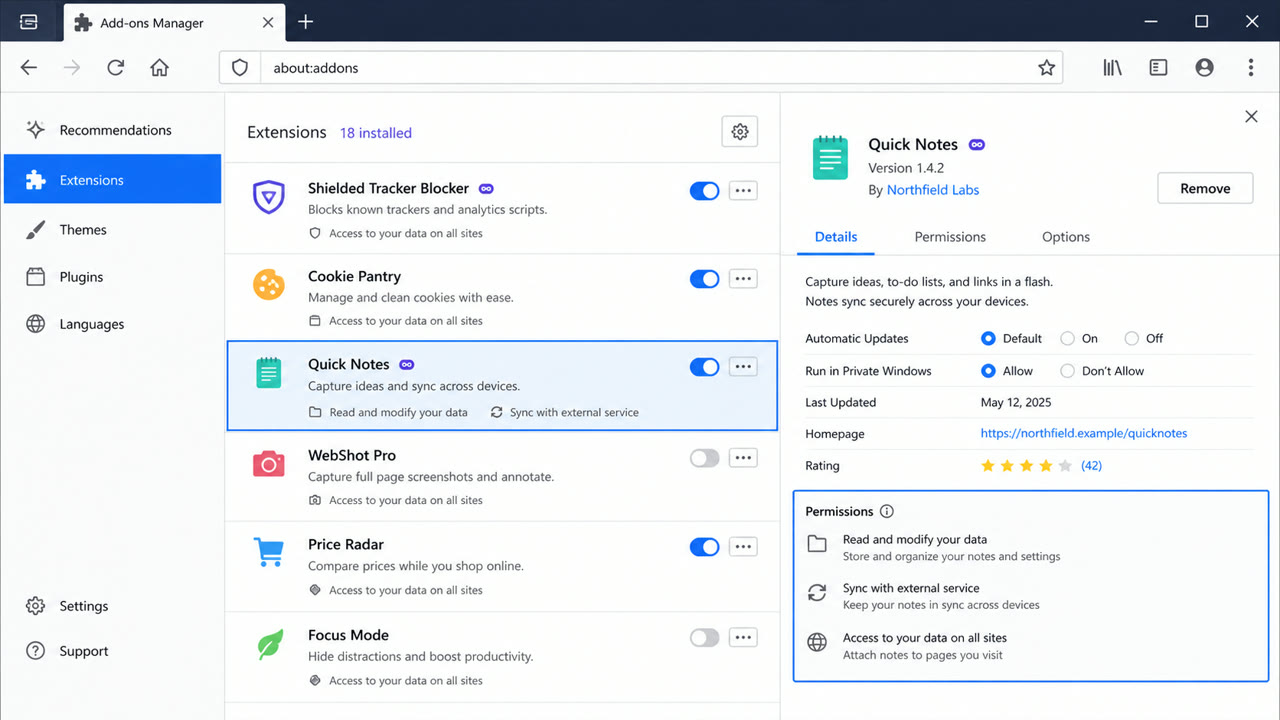
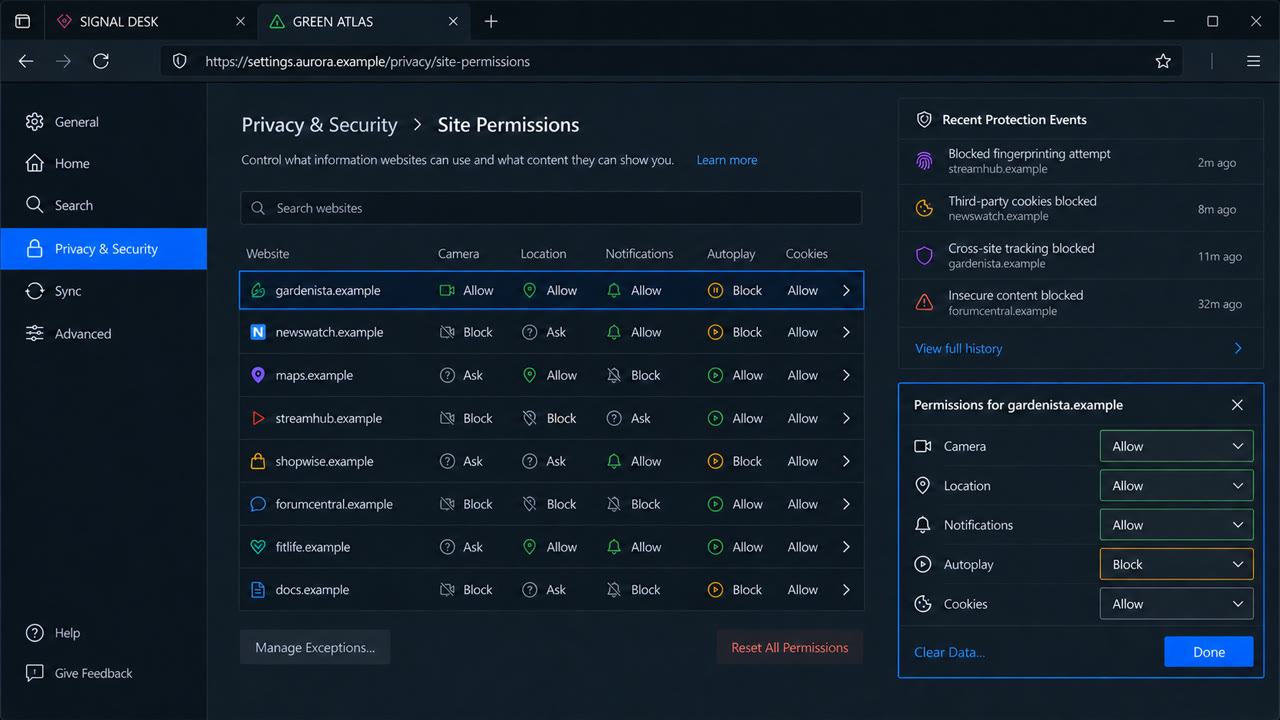
Introduced with Firefox Quantum, Photon unified desktop and mobile around a fast, recognisable Firefox language of compact browser chrome, vivid color, light icons and motion that stays behind the web content.
At a glance
Visual cues
- Compact browser chrome and squared-off tabs
- Vivid blue, purple and orange on white or deep navy
- Thin simplified line icons
- Brief transitions and unmistakable selection or focus
Best used for
- Unifying browser chrome, settings, add-ons and mobile
- Tools that must show speed and state without overpowering web content
Use this style
Take the compact brief into a project or hand the structured version to an AI tool.
Detailed guidance and sourcesProduction rules, reference works, comparisons, research and citation formats
Dictionary entry
- Type
- Use a platform-friendly sans and brief labels; do not explain every icon twice with text.
- Composition
- Keep browser chrome shallow and favor a single reading column in content and settings surfaces.
- Material
- Start from neutral surfaces and reserve blue, purple and orange for selection, focus and brand moments.
- Caution
- A Firefox gradient alone is not Photon. Match the density that leaves content dominant and the immediacy of every control state.
- Further study
- Firefox Quantum and Photon / Photon design for scale / Photon icons and browser chrome
Related entries
- Aqua (アクア)Shared effects: Futurity.Compare Firefox Photon and Aqua
- Fluent 2 (フルーエント2)Shared effects: Technique.Compare Firefox Photon and Fluent 2
More from Platform Screen Languages
Continue through styles in the same Platform Screen Languages family, prioritised by shared effects.
- BeOS Interface (BeOS インターフェース)Shared effects: Technique / Futurity.
- Xerox Star Interface (ゼロックス・スター・インターフェース)Shared effects: Technique / Futurity.
- BBC Global Experience Language (BBC GEL)Shared effects: Technique / Exhilaration.
Browse all Platform Screen Languages entries
Cite this entry
The dictionary is meant to be linked to. Take whichever form fits where you are writing.
- Link
- https://indexstyle.org/styles/firefox-photon
- Markdown
- [Firefox Photon — IndexStyle](https://indexstyle.org/styles/firefox-photon)
- HTML
- <a href="https://indexstyle.org/styles/firefox-photon">Firefox Photon — IndexStyle</a>