Firefox Photon vs Fluent 2
Firefox Photon / フルーエント2
Firefox Photon comes from Platform Screen Languages and Fluent 2 from Microsoft UI. They are reached for with some of the same intent, which is where they get confused.
Firefox Photon

Introduced with Firefox Quantum, Photon unified desktop and mobile around a fast, recognisable Firefox language of compact browser chrome, vivid color, light icons and motion that stays behind the web content.
Fluent 2
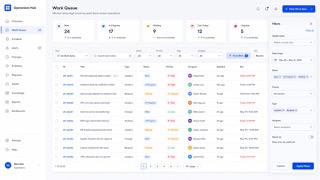
Tokenizes color, type, spacing, radius and depth, deploying Solid, Acrylic, Mica and Smoke materials by role across Microsoft products.
| Firefox Photon | Fluent 2 | |
|---|---|---|
| Era | 2017–2021 / legacy | 2022– |
| Family | Platform Screen Languages | Microsoft UI |
| Kind | Style | Style |
| Cues | Compact browser chrome and squared-off tabs / Vivid blue, purple and orange on white or deep navy / Thin simplified line icons / Brief transitions and unmistakable selection or focus | Mica and Acrylic / Neutral tonal hierarchy / Soft corner radii / Tokenized depth |
| Best used for | Unifying browser chrome, settings, add-ons and mobile · Tools that must show speed and state without overpowering web content | Business UI at home in Windows and Microsoft 365 that several teams must keep identical · Replacing an existing product in stages so theme and state stay consistent across products |
| Type | Use a platform-friendly sans and brief labels; do not explain every icon twice with text. | Define size and leading as tokens and never hardcode values in a screen. |
| Composition | Keep browser chrome shallow and favor a single reading column in content and settings surfaces. | Fix spacing to multiples of one base and keep density variants as separate tokens. |
| Material | Start from neutral surfaces and reserve blue, purple and orange for selection, focus and brand moments. | Mica for the window ground, Acrylic only for surfaces that appear briefly. |
| Caution | A Firefox gradient alone is not Photon. Match the density that leaves content dominant and the immediacy of every control state. | Match blur and shadow to surface role, window state and light, dark and high contrast. Adding one off colors and paddings per screen turns the unifying system into one more thing to maintain. |