Aero
エアロ / 2006–2012 / Style / Microsoft UI
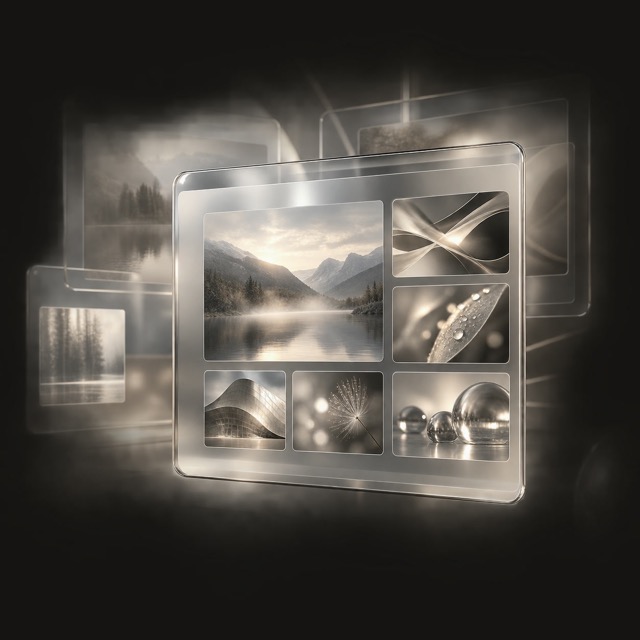
The translucent glass UI of Vista and 7: frosted window frames, live thumbnails and GPU-composited depth making 'through glass' the OS's standard vocabulary.


At a glance
Visual cues
- Frosted frames
- Reflections and highlights
- Live thumbnails
- GPU-composited depth
Best used for
- Work screens stacking many windows where the layer beneath must stay visible
- Control panels for photo or video apps floated above the content itself
Use this style
Take the compact brief into a project or hand the structured version to an AI tool.
Detailed guidance and sourcesProduction rules, reference works, comparisons, research and citation formats
Dictionary entry
- Type
- Small light labels on the frame, dark enough to survive translucency
- Composition
- Glass only on the frame, content areas kept fully opaque
- Material
- Heavily blurred backdrop, a thin top highlight, a faint tint
- Caution
- Spreading translucency and gloss across the whole screen makes legibility shift with whatever moves behind the text, and hides what is clickable.
- Further study
- Windows Vista, 2006 / the Aero Glass guidelines / the return in glassmorphism
Related entries
- Luna (ルナ)Same Microsoft UI lineage.Compare Aero and Luna
- Glassmorphism (グラスモーフィズム)Shared effects: Futurity / Luxury.Compare Aero and Glassmorphism
Often confused with
More from Microsoft UI
Continue through styles in the same Microsoft UI family, prioritised by shared effects.
- Fluent 2 (フルーエント2)Shared effects: Technique.
- Metro (メトロ)Shared effects: Technique.
- Windows 95 Interface (Windows 95 インターフェース)Shared effects: Technique.
Browse all Microsoft UI entries
Cite this entry
The dictionary is meant to be linked to. Take whichever form fits where you are writing.
- Link
- https://indexstyle.org/styles/aero
- Markdown
- [Aero — IndexStyle](https://indexstyle.org/styles/aero)
- HTML
- <a href="https://indexstyle.org/styles/aero">Aero — IndexStyle</a>