Ubuntu Yaru
Ubuntu Yaru / 2018– / Style / Platform Screen Languages
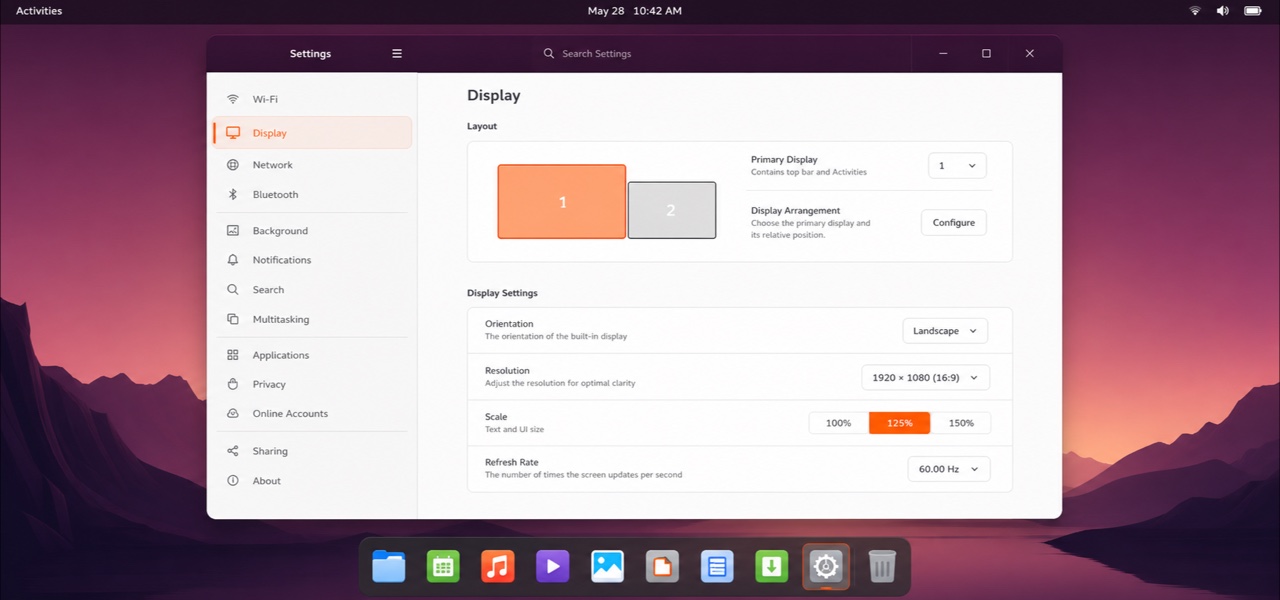
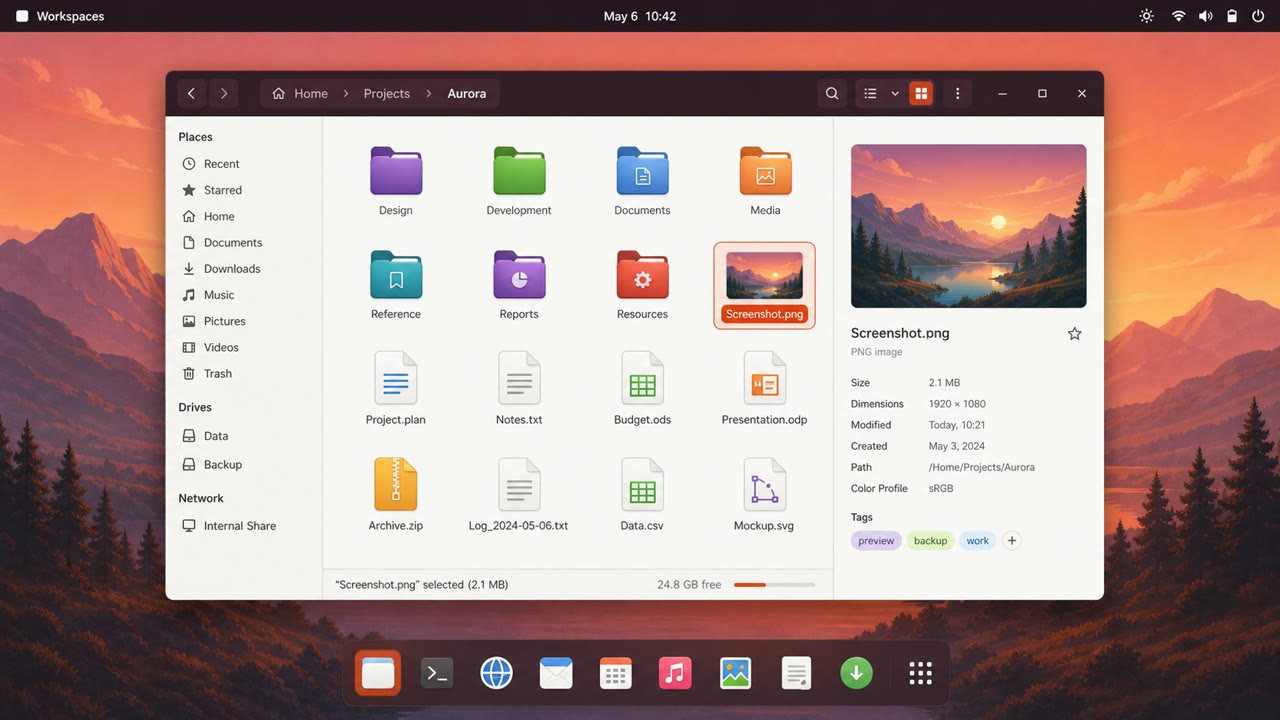
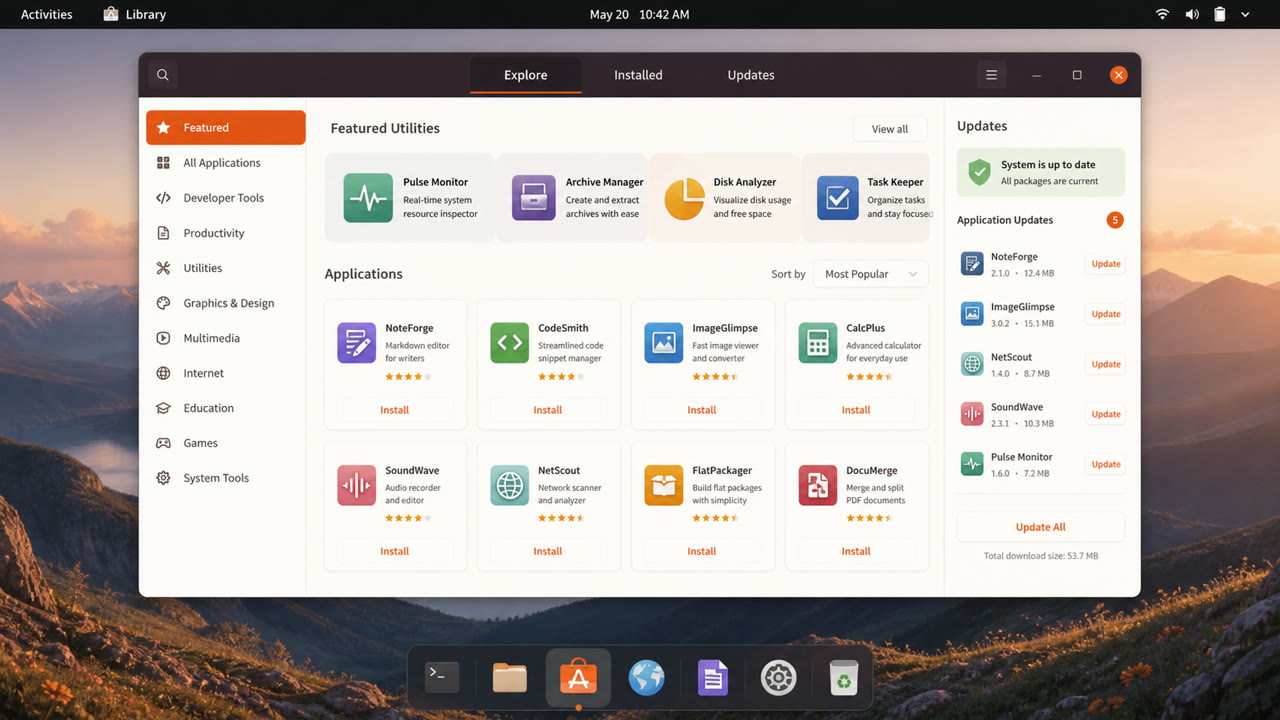
Ubuntu's community-built default theme overlays Adwaita-based GTK and GNOME Shell with Ubuntu orange, dark header bars and Suru-derived icons, distributing windows, shell, icons, cursors and sound as one suite.
At a glance
Visual cues
- Light window body contrasted with a dark header bar
- Ubuntu orange for selection and focus
- Suru-derived icons based on circles, squares and vertical or horizontal oblongs
- One-pixel icon edge, restrained gradient and lower shadow
Best used for
- Unifying the Ubuntu desktop, default applications and distribution assets
- Adding a distribution identity while remaining compatible with upstream GNOME
Use this style
Take the compact brief into a project or hand the structured version to an AI tool.
Detailed guidance and sourcesProduction rules, reference works, comparisons, research and citation formats
Dictionary entry
- Type
- Use Ubuntu type and short labels; avoid lettering inside icons.
- Composition
- Preserve GTK structure, using the dark header and orange focus ring to declare the active window.
- Material
- Reuse the Suru palette, restrained gradients and translucent dark outlines to keep icons from drifting apart.
- Caution
- Large overrides of Adwaita collide with application styling. Contain Ubuntu identity in color, headers and iconography instead of restructuring widgets.
- Further study
- Yaru and upstream Adwaita / Suru icon lineage / Yaru GTK, shell, icon and sound themes
Related entries
- Adwaita (アドワイタ)Same Platform Screen Languages lineage.Compare Ubuntu Yaru and Adwaita
- Breeze (ブリーズ)Same Platform Screen Languages lineage.Compare Ubuntu Yaru and Breeze
More from Platform Screen Languages
Continue through styles in the same Platform Screen Languages family, prioritised by shared effects.
- Atlassian Design System (Atlassian Design System)Shared effects: Trust / Technique / Intimacy.
- Shopify Polaris (Shopify Polaris)Shared effects: Trust / Intimacy / Technique.
- Salesforce Lightning Design System (Salesforce Lightning)Shared effects: Trust / Technique / Intimacy.
Browse all Platform Screen Languages entries
Cite this entry
The dictionary is meant to be linked to. Take whichever form fits where you are writing.
- Link
- https://indexstyle.org/styles/ubuntu-yaru
- Markdown
- [Ubuntu Yaru — IndexStyle](https://indexstyle.org/styles/ubuntu-yaru)
- HTML
- <a href="https://indexstyle.org/styles/ubuntu-yaru">Ubuntu Yaru — IndexStyle</a>