Skeleton Screen
スケルトン・スクリーン / 2013– / Technique / UI Expression
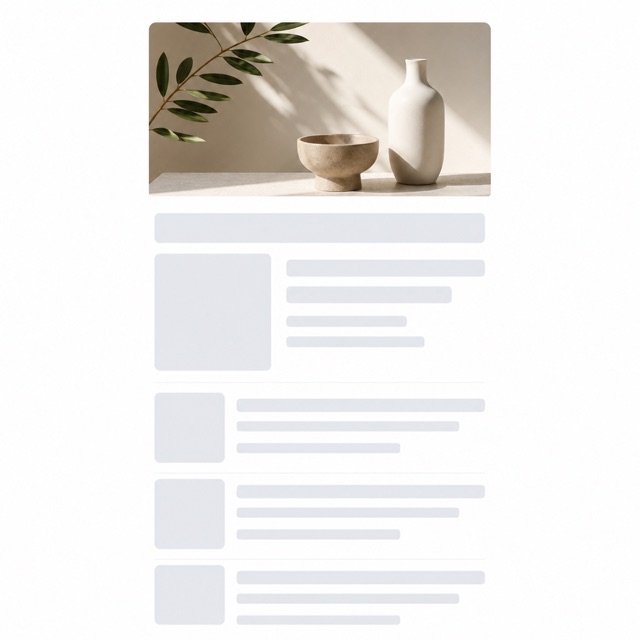
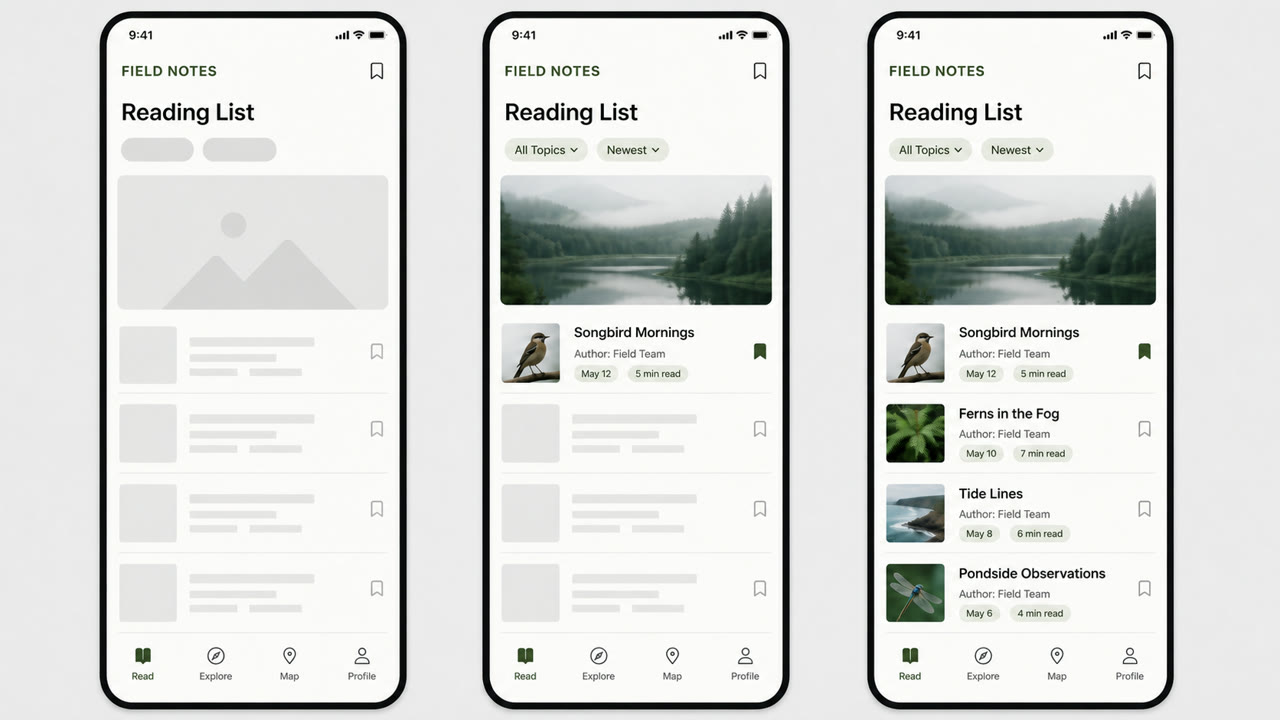
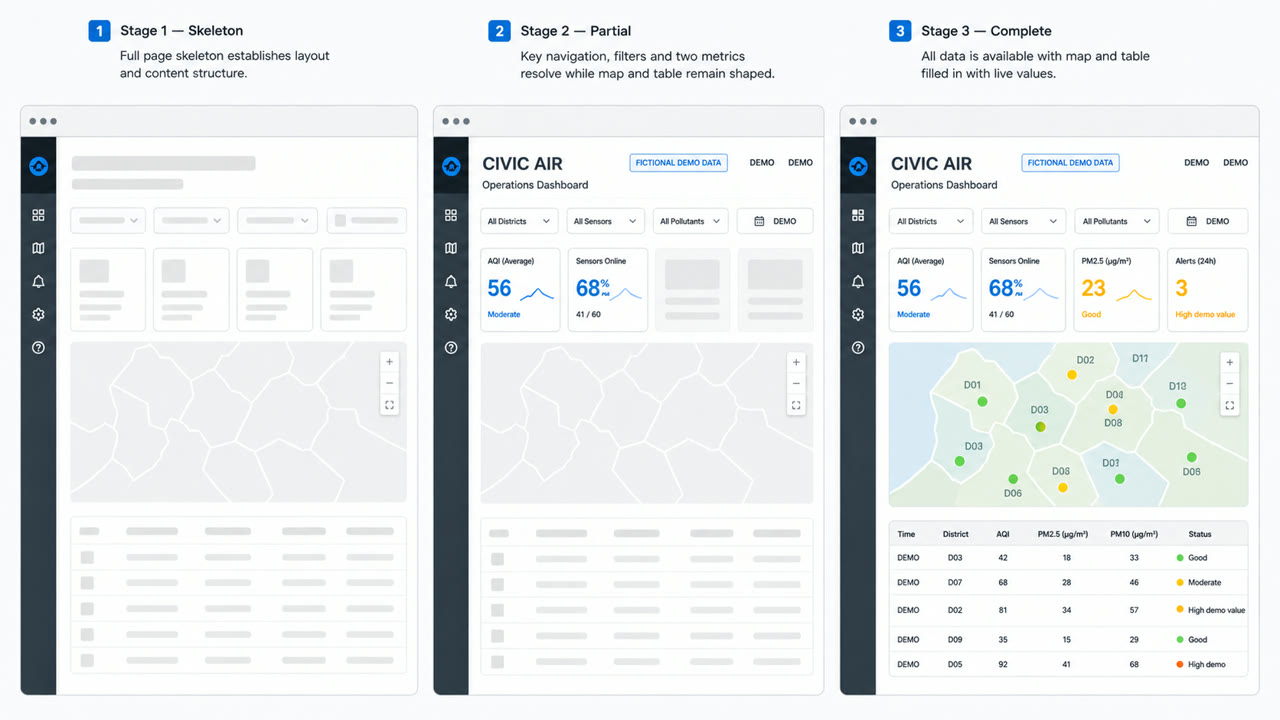
A loading treatment that drops the spinner and shows a blank version of the page instead, then fills information into it as the data arrives. Luke Wroblewski named the technique in 2013, writing about his own app Polar, where a spinner had made testers report that the app felt slower than the previous version. The aim is to show advance toward the goal rather than the act of waiting.
At a glance
Visual cues
- No spinner and no progress bar while the screen loads
- Blank fields already standing where text and images will land, at the size they will occupy
- A layout committed before the data arrives, so nothing shifts when it does
- Regions filling in one after another instead of the whole screen appearing at once
Best used for
- Replacing the spinner on the first load of a list or timeline to raise perceived speed
- Fixing a screen where elements jump as data lands, by committing position and size in advance
Use this style
Take the compact brief into a project or hand the structured version to an AI tool.
Detailed guidance and sourcesProduction rules, reference works, comparisons, research and citation formats
Dictionary entry
- Type
- Set no type at all. Where headings and body will go, lay blank fields matched to the real line height and measure.
- Composition
- Reuse the finished screen's skeleton. Commit every position and dimension first so nothing moves once the content lands.
- Material
- Use neutral fields one step away from the background. Match corner radius and size to the real elements and add no further colour.
- Caution
- If the blank fields do not match the real content's dimensions, everything shifts the moment data lands, which reads worse than the spinner it replaced.
- Further study
- why the 2013 article attacked the spinner, and how it defines progress / what change in user reaction it reports for Polar / cases where the dimensions of the blank blocks do not match the actual content
Related entries
- Material Design (マテリアルデザイン)Shared effects: Trust / Technique.Compare Skeleton Screen and Material Design
- Flat Design / Vector Minimalism (フラットデザイン / ベクターミニマリズム)Same UI Expression lineage.Compare Skeleton Screen and Flat Design / Vector Minimalism
More from UI Expression
Continue through styles in the same UI Expression family, prioritised by shared effects.
- Solarized (ソラライズド)Shared effects: Technique / Calm / Trust.
- Command Palette (コマンドパレット)Shared effects: Technique / Calm / Trust.
- Terminal UI (ターミナルUI)Shared effects: Technique / Calm.
Browse all UI Expression entries
Cite this entry
The dictionary is meant to be linked to. Take whichever form fits where you are writing.
- Link
- https://indexstyle.org/styles/skeleton-screen
- Markdown
- [Skeleton Screen — IndexStyle](https://indexstyle.org/styles/skeleton-screen)
- HTML
- <a href="https://indexstyle.org/styles/skeleton-screen">Skeleton Screen — IndexStyle</a>