Ant Design vs Fluent 2
Ant Design / フルーエント2
Ant Design comes from Platform Screen Languages and Fluent 2 from Microsoft UI. They are reached for with some of the same intent, which is where they get confused.
Ant Design
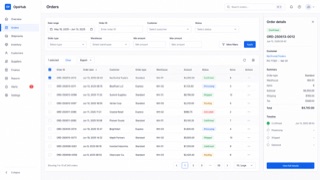
A design system that keeps enterprise web applications at low entropy through reusable components and page patterns. Its values — Natural, Certain, Meaningful and Growing — systematize tables, forms, hierarchy and state without reducing information density.
Fluent 2
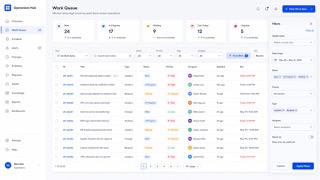
Tokenizes color, type, spacing, radius and depth, deploying Solid, Acrylic, Mica and Smoke materials by role across Microsoft products.
| Ant Design | Fluent 2 | |
|---|---|---|
| Era | 2015– | 2022– |
| Family | Platform Screen Languages | Microsoft UI |
| Kind | Style | Style |
| Cues | Dense tables set in small type and fine rules / Blue primary actions with explicit semantic colors / Consistent forms, pagination, trees and tables / Readability achieved through alignment and repetition, not generous space | Mica and Acrylic / Neutral tonal hierarchy / Soft corner radii / Tokenized depth |
| Best used for | Enterprise admin screens with many tables, forms, permissions and states · Standardizing component behavior and exceptions in international products | Business UI at home in Windows and Microsoft 365 that several teams must keep identical · Replacing an existing product in stages so theme and state stay consistent across products |
| Type | Keep body text compact and separate labels, values and help text through weight and color. | Define size and leading as tokens and never hardcode values in a screen. |
| Composition | Set table and form columns first; show relationships through alignment rather than extra space. | Fix spacing to multiples of one base and keep density variants as separate tokens. |
| Material | Start with white, fine borders and a blue primary action; hold every state color to one meaning. | Mica for the window ground, Acrylic only for surfaces that appear briefly. |
| Caution | A component catalog dropped onto a page can look orderly while leaving the actual workflow undesigned. | Match blur and shadow to surface role, window state and light, dark and high contrast. Adding one off colors and paddings per screen turns the unifying system into one more thing to maintain. |