Lenticular Printing
レンチキュラー印刷 / 1940s– / 기법 / Print Expression
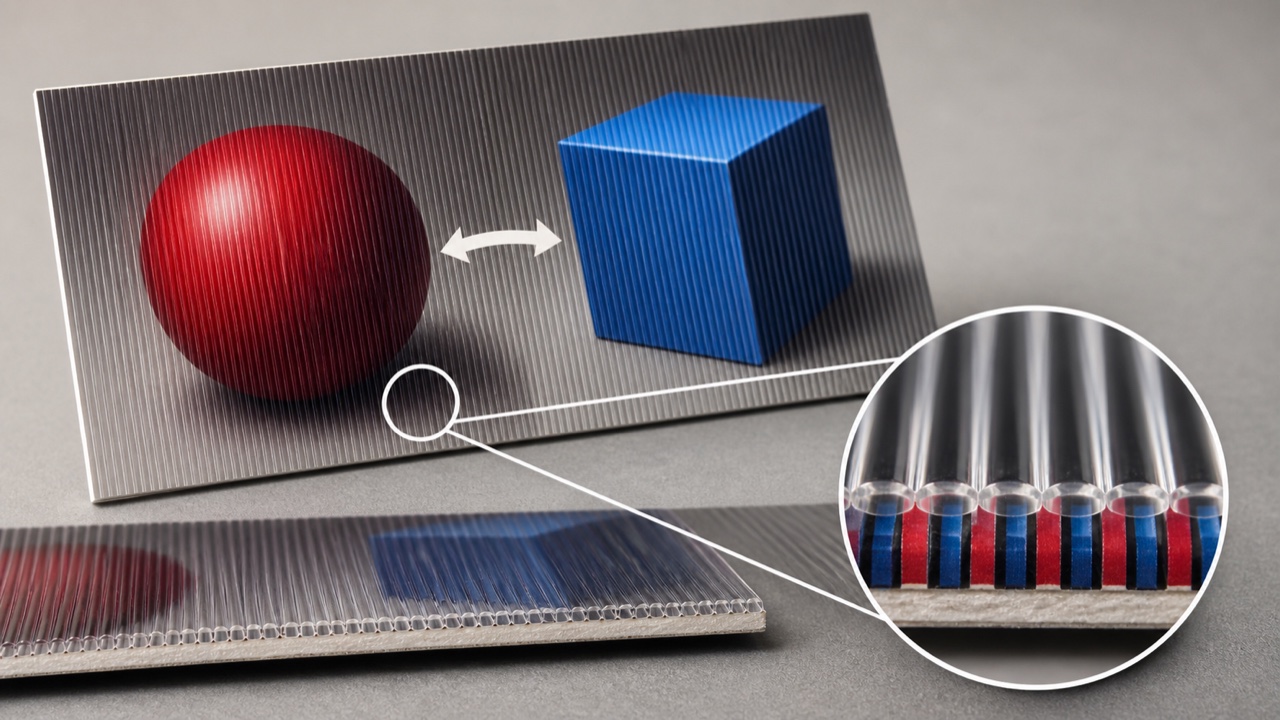
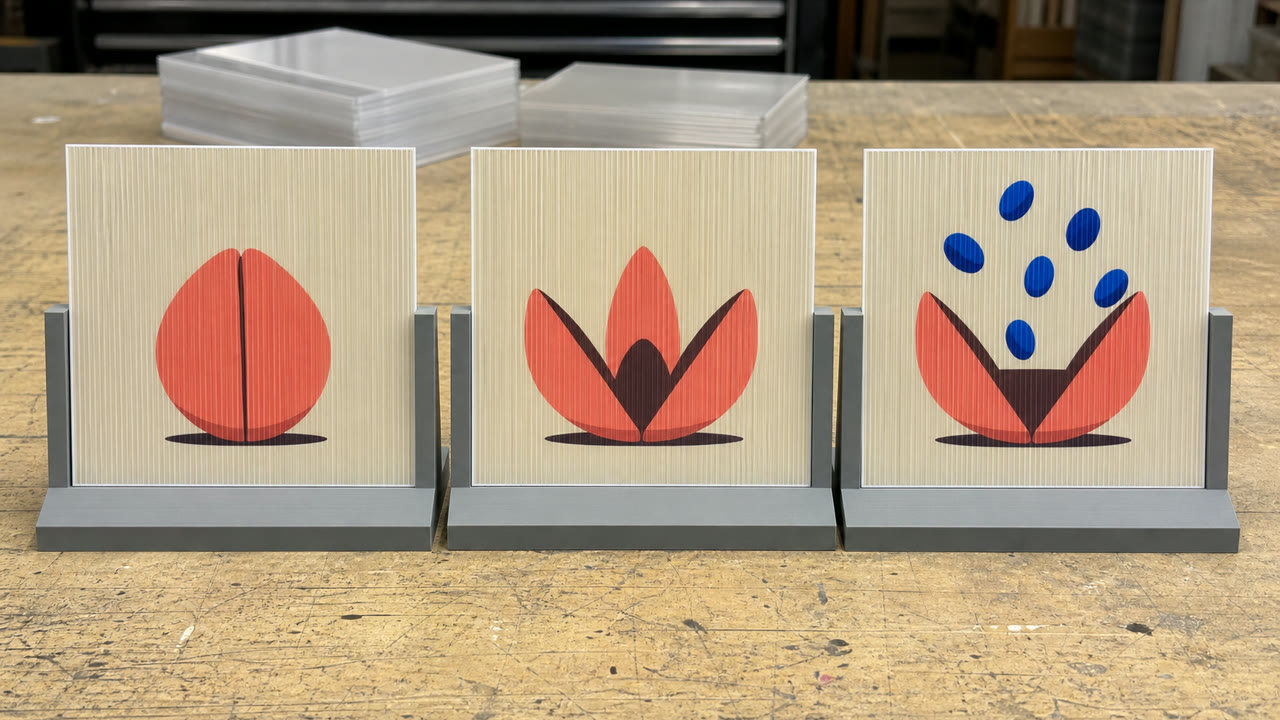
Lenticular printing은 여러 이미지를 얇고 교대로 된 스트립으로 연결하고, 평행 렌즈와 정렬하여 하나의 인쇄가 시청 각도에 따라 전환, 애니메이션 또는 깊이를 얻도록 합니다.

한눈에 판단
시각적 특징
- 시청 각도에 따른 두 개 이상의 이미지 전환
- 좁은 수직 스트립으로 연결된 소스 프레임
- 평행 원통형 렌즈 표면
- 이중 시각 또는 순차적인 프레임을 기반으로 구축된 깊이나 움직임
적합한 용도
- Making exhibit signs, posters or packaging change along a visitor's path
- Putting brief movement or depth into a print without power
이 양식 사용하기
짧은 지침을 프로젝트에 적용하거나 구조화된 사양을 AI 도구에 넘길 수 있습니다.
자세한 제작법과 출처제작 규칙, 실제 사례, 비교, 연구, 인용 형식
사전 항목
- 타이포그래피
- Keep type on the same baseline in every frame and avoid strokes too fine for the lens direction.
- 구성
- Set viewing position and movement first; use two frames for a flip or matched sequential frames for motion.
- 재료
- Interlace to the lens pitch and align the printed strips and lenticular sheet without drift.
- 주의
- Layered stripes do not make a lenticular. Image pitch, lens pitch, direction and registration must agree before the views separate.
- 더 읽을거리
- Image interlacing / Lenticule pitch and viewing angle / Flip, animation and stereoscopic depth
관련 항목
- Kinetic Art (キネティック・アート)공통 인상: Exhilaration / Technique.Lenticular Printing와 Kinetic Art 비교
- Halftone (ハーフトーン(網点))같은 계열: Print Expression.Lenticular Printing와 Halftone 비교
Print Expression 더 보기
Print Expression에서 공통 인상이 많은 항목을 우선해 골랐습니다.
- Monotype (モノタイプ)공통 인상: Play.
- Collagraph (コラグラフ)공통 인상: Play.
- Chine Collé (シン・コレ)
이 항목을 인용하기
사전은 링크되기 위해 있다. 글을 쓰는 자리에 맞는 형식을 그대로 가져가면 된다.
- Link
- https://indexstyle.org/ko/styles/lenticular-printing
- Markdown
- [Lenticular Printing — IndexStyle](https://indexstyle.org/ko/styles/lenticular-printing)
- HTML
- <a href="https://indexstyle.org/ko/styles/lenticular-printing">Lenticular Printing — IndexStyle</a>